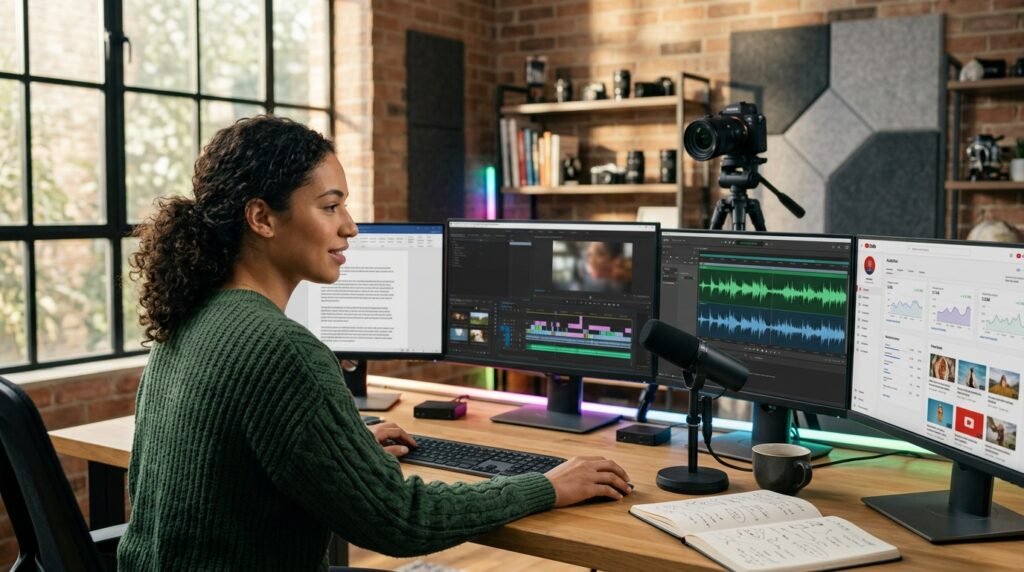

Running a YouTube channel used to require a full team. You needed scriptwriters to draft the words, voice artists to speak, video editors to cut clips, designers for thumbnails, and SEO experts to rank the final video.
In 2026, that is no longer the case. A single creator can now build, manage, and scale a highly successful YouTube channel from scratch using artificial intelligence. Every step of the production process can be streamlined, making it faster, cheaper, and easier to scale than ever before.
But here is the real question: Can AI actually run a YouTube channel end-to-end without any human effort?
The short answer is: almost—but not blindly.
The most successful channels in 2026 do not rely on full automation where a machine does 100% of the thinking. Instead, they use a highly efficient hybrid system. AI handles the heavy lifting, speed, and technical creation, while the human creator handles the strategy, unique emotional hooks, and final quality check.
Whether you want to build a standard faceless channel, a highly addictive YouTube Shorts system, or an industrial documentary channel, this guide breaks down the exact real-world AI tool stack and step-by-step workflow used by modern creators today.
READ MORE
- Jasper AI Review (2026): Is It Still Worth It for Content Creators?
- How AI Tools Can Replace 5 Jobs at Home: An Amazing Guide
- How Freelancers Use AI to Double Income in 2026
- AI Tools for Small Business: 7 Powerful Ways to Use AI Today
- Real Ways Students Use AI in Their Life to Earn Money (2026)
- ChatGPT vs Claude: Which AI Assistant Is Better? (2026 Comparison)
What Does “Running a YouTube Channel with AI” Actually Mean?

Before looking at the tools, we must look at the standard creative workflow. A traditional production pipeline consists of eight distinct phases:
[1. Idea & Research] ➔ [2. Scriptwriting] ➔ [3. Voiceover Production] ➔ [4. Video Editing]
                                                                              │
[8. Growth Analytics] 🡨 [7. Optimization & SEO] 🡨 [6. Thumbnail Design] 🡨 [5. Assembly]
In 2026, AI can assist with nearly every stage of the YouTube production process, from research and scripting to voice generation, visual creation, editing, packaging, and analytics. However, the level of automation varies by content type, and human review remains important for quality, originality, accuracy, and brand direction.
YouTube itself explains that recommendations are driven by viewer behavior and satisfaction, including whether viewers choose to watch, continue watching, and enjoy the content—not simply whether a video was produced with AI. YouTube’s Recommendation System
1. AI Tools for Video Ideas & Topic Research
A successful channel does not start with video editing or scripts. It starts with ideas that people are actively looking for. If your topic is weak, the best video editor in the world cannot save it.
The Best Tools for the Job
- ChatGPT (OpenAI): Excellent for breaking down broad niches into highly specific concepts and applying proven psychological frameworks to titles.
- Perplexity AI: An answer engine that searches the live web in real time. It is great for finding breaking news, trending stories, and checking facts.
- Google Trends + AI Analytics Extensions: Tools that help you see which search terms are rising right now so you can catch a viral wave before anyone else.
How to Use AI for Research
Instead of choosing a generic topic like “fitness tips”—which is too competitive and boring—you can feed parameters into an AI tool to find gaps in the market.
For example, ask the AI to find high-volume, low-competition terms for busy remote workers. The AI might suggest:
“10-Minute Home Workouts for Busy Professionals in 2026”
Example: What Successful YouTube Ideas Have in Common
Look at a channel like MrBeast. His videos often start with a simple concept that viewers can understand almost immediately, while adding a clear challenge, curiosity, competition, or desirable outcome. You can see this approach directly across the MrBeast YouTube channel.
The lesson for AI-assisted topic research is simple: don’t use AI just to generate hundreds of random video ideas. Use it to identify ideas that have a clear reason for viewers to care.
When researching a new topic, ask AI to help you find:
- Audience demand: Is there evidence that viewers are already interested in this subject?
- A strong curiosity or problem: Does the idea answer an important question, solve a problem, reveal something surprising, or create a clear challenge?
- A distinct angle: What can make this video different from the existing videos covering the same topic?
- A clear outcome: Can a viewer understand what they will gain, discover, or experience by watching?
The goal is not to find a “guaranteed viral topic.” No AI tool can guarantee that. Instead, use AI to generate and analyze promising ideas, then validate those ideas against real YouTube search results, competing videos, audience interest, and your own channel analytics.

2. AI Script Writing Tools
Scriptwriting plays an important role in audience retention. If a video’s opening fails to keep viewers interested, fewer viewers may continue watching, which can affect the video’s overall performance.
The Best Tools for the Job
- ChatGPT: The industry standard for structuring narrative arcs, hooks, and body copy based on specific time constraints.
- Jasper AI: Built specifically for copywriters and content marketers, making it great for promotional or commercial YouTube content.
- Copy.ai: Excellent for rapid brainstorming, writing catchy intros, and creating natural calls-to-action (CTAs).
How to Build a High-Retention Script Structure
To keep people watching, you cannot just ask an AI to “write a script about X.” You need to give it a strict structural formula. Based on top-performing automated channels, a winning script follows a five-phase psychological breakdown:
+-----------------------------------------------------------------+
| 1. THE DECLARATION (0-5s)                                       |
|    Make a bold, clear promise of what will happen.              |
+-----------------------------------------------------------------+
                                │
                                ▼
+-----------------------------------------------------------------+
| 2. THE ASSESSMENT (5-15s)                                       |
|    Show the current problem with technical details or data.     |
+-----------------------------------------------------------------+
                                │
                                ▼
+-----------------------------------------------------------------+
| 3. THE ISOLATION (15-30s)                                       |
|    Break down the problem into tiny, focused tasks.             |
+-----------------------------------------------------------------+
                                │
                                ▼
+-----------------------------------------------------------------+
| 4. THE STEP-BY-STEP PROCESS (30-50s)                            |
|    Show an intricate, satisfying, or complex workflow.          |
+-----------------------------------------------------------------+
                                │
                                ▼
+-----------------------------------------------------------------+
| 5. THE REVEAL & CTA (50-60s)                                    |
|    Show the final transformation and give a reason to subscribe.|
+-----------------------------------------------------------------+
Pro Creator Insight
Never publish an AI-generated script without reviewing it. AI can produce structurally strong writing, but it may still sound repetitive, predictable, or disconnected from the target audience.
After generating the first draft, rewrite the opening, remove unnecessary explanations, strengthen transitions, and make sure every section delivers on the promise made by the title and thumbnail.
3. AI Voiceover Tools (No Microphone Needed)
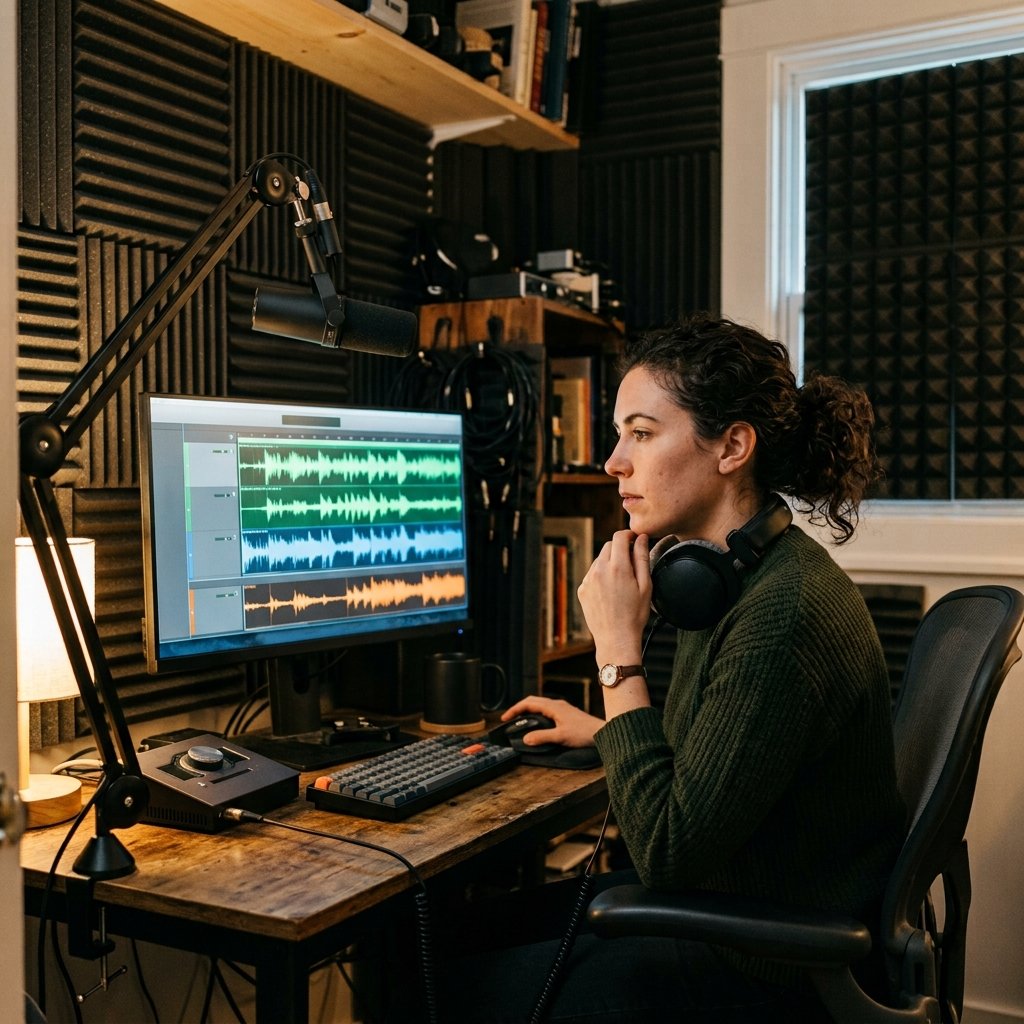
Modern AI voice tools can produce highly natural speech, making them useful for narration, explainers, documentaries, and faceless YouTube channels. However, the final quality depends on the voice model, script, pronunciation, pacing, emotional direction, and editing.
Best Tools for AI Voiceovers
- ElevenLabs: One of the strongest options for natural-sounding AI narration and voice generation.
- PlayHT: Provides AI voice generation with a range of voices and styles for different types of content.
- Descript: Combines AI voice generation with audio and video editing, making it useful for creators who want to edit narration alongside their video.
Why AI Voiceovers Matter
AI voiceovers can reduce the time needed for recording and make revisions much easier. If you change a sentence during editing, you can regenerate the updated line instead of recording the entire section again.
For faceless channels, this can make the production process faster and more flexible while still allowing the creator to control the script, voice style, pacing, and final result.
4. AI Video Creation & Editing Tools
Video editing used to be the biggest bottleneck for creators, often taking 6 to 10 hours for a single piece of content. Modern tools can now turn text scripts into complete, edited videos in under half an hour.
The Best Tools for the Job
- Higsfield: A massive favorite for modern automated shorts. It allows you to generate highly consistent characters and environments by utilizing reference images.
- Pictory AI: Automatically scans your script, matches the text with relevant stock footage, cuts the clips together, and generates automated captions on screen.
- InVideo AI: Generates a full video complete with script, voiceover, media clips, and text overlays from a single text prompt.
- Runway ML (Gen-3): Ideal for advanced creators who need high-end cinematic visuals, specialized camera movements, and hyper-realistic physics.
- CapCut AI: Excellent for mobile and short-form creators, offering auto-captions, smart background removal, and trending transition templates.

The Real-World Consistency System
When creating an AI-generated video sequence (such as an animated story or a detailed process demonstration), the biggest challenge is maintaining visual consistency across scenes. If your subject changes shape or color in every shot, the viewer will lose immersion.
To solve this, use this professional asset-building workflow:
[Step 1: Generate Environment Base]
Create a clean, empty location shot to serve as your master background asset.
                 │
                 ▼
[Step 2: Establish Master Character]
Generate your main subject separate from the scene to secure look and style.
                 │
                 ▼
[Step 3: Combine with Reference Links]
Lock both assets into the AI engine as image references for all subsequent shots.
                 │
                 ▼
[Step 4: Generate Consistent Actions]
Prompt specific movements ("looking right", "running") while keeping assets identical.
5. AI Thumbnail Design Tools
Your thumbnail is the store display window of your video. If people do not click, your video dies. Thumbnails decide your click-through rate (CTR), which is one of the top metrics YouTube uses to measure success.
The Best Tools for the Job
- Canva AI (Magic Design): Excellent for rapidly laying out text, graphics, and image frames. It can look at your topic and suggest clean, professional designs instantly.
- Midjourney: A strong option for generating distinctive, cinematic thumbnail concepts and visual assets.
- Adobe Firefly: Perfect for editing existing images using text commands, allowing you to add or remove elements easily.
Pro Thumbnail Framing Tips
- Keep it clean: Do not crowd the image with too many small details. A viewer looking at a phone screen should understand the visual in less than half a second.
- The 3-Element Rule: Stick to a maximum of three visual elements—a clear subject face/object, a high-contrast background, and a maximum of 3 words of bold text.
- Mobile Preview: Always look at your thumbnail design at a very small size to ensure it remains legible and impactful on a mobile phone display.
6. AI SEO & YouTube Optimization Tools
Even the greatest video will fail if the YouTube algorithm does not know who to show it to. Search engine optimization (SEO) helps position your video in front of the right target market.
The Best Tools for the Job
- VidIQ AI: Offers incredible metadata suggestions, daily idea tracking, viral title generators, and competitive search volume analysis.
- TubeBuddy AI: Excellent for tracking tag ranks, testing variations of metadata, and providing clear step-by-step optimization checklists.
- ChatGPT: Great for writing long, keyword-rich descriptions that help search engines understand the semantic context of your media.
The High-Ranking Optimization Strategy
YouTube SEO should focus on helping the platform and the viewer understand exactly what the video offers. YouTube recommends focusing on how viewers respond to your content, while titles and thumbnails play an important role in attracting viewers. YouTube: How viewers find your videos
Titles: Create a clear, compelling title that accurately represents the video’s main idea. Use curiosity when appropriate, but avoid misleading clickbait. YouTube: Tips for video titles
Descriptions: Write a natural description that explains what viewers will learn or experience. Include important terminology where it genuinely fits instead of repeating keywords unnaturally.
Thumbnails: Treat the thumbnail and title as a single package. The thumbnail should create visual interest while the title explains or expands the promise. YouTube: Tips for thumbnails
Tags: Do not treat tags as a major ranking strategy. YouTube says tags are mainly useful for helping with common spelling variations and similar cases. YouTube: Add tags to your videos
The most important goal is not to fill the metadata with keywords. It is to create a package that makes the right viewers want to click and then delivers the value promised.

7. AI Analytics & Channel Growth Tools
Once your content is live on the web, the work changes from creation to data analysis. AI can look through your viewer metrics to show you exactly where your channel is winning and where it needs fixes.
The Best Tools for the Job
- YouTube Studio AI Insights: Automatically spots patterns in your traffic sources and alerts you when a specific group of viewers starts engaging more with your channel.
- VidIQ Audience Retention Tools: Analyzes your watch-time graphs to pinpoint the exact second viewers drop off, letting you know which parts of your scripts are boring or too slow.
Can AI Fully Run a YouTube Channel Alone?
AI can automate or accelerate a large part of the YouTube production workflow, but there is no universal percentage that applies to every channel.
A simple faceless Shorts channel may automate more of its production than a research-heavy documentary channel. The more a channel depends on original research, storytelling, custom visuals, expert judgment, or complex editing, the more human involvement is required.
The strongest approach is not “AI-only automation.” It is a human-directed workflow where AI handles repetitive production tasks while the creator remains responsible for the idea, positioning, quality, originality, accuracy, and final publishing decision.
AI can make YouTube production faster, but human direction is still what turns automated production into valuable content.
What AI Handles Best
- Speed: Processing tasks that used to take hours (like captioning, text generation, or rendering basic stock footage) in mere minutes.
- Data crunching: Analyzing search volumes, sorting through metadata patterns, and finding keyword opportunities across huge datasets.
- Scaling production: Allowing a solo creator to build a consistent backlog of content without facing creative burnout.
What Humans Must Control
- Emotional Direction: AI can write grammatically perfect sentences, but it often lacks the ability to create genuine tension, relief, or deep curiosity without human editing.
- Brand Strategy: Deciding when to pivot themes, how to speak directly to community comments, and building long-term viewer loyalty.
- Quality Inspection: Catching visual glitches, unnatural voice cadences, or weird phrasing before a video goes public.

The Proven Step-by-Step AI Workflow
If you want to start an AI-assisted channel today, follow this practical step-by-step production loop:
[Step 1: Ideation] ➔ Use VidIQ & ChatGPT to find a universally relatable topic with a strong hook.
                             │
                             ▼
[Step 2: Scripting] ➔ Draft a structured, 5-phase script focusing heavily on an immediate opening hook.
                             │
                             ▼
[Step 3: Audio]     ➔ Convert the text script into a highly realistic human voice using ElevenLabs.
                             │
                             ▼
[Step 4: Animation] ➔ Use Higsfield or Runway to generate consistent visual plates matching the voiceover timeline.
                             │
                             ▼
[Step 5: Editing]   ➔ Assemble components in Premiere Pro or CapCut, removing dead air and adding auto-captions.
                             │
                             ▼
[Step 6: Packaging] ➔ Build a clean, 3-element thumbnail and optimize the meta title with VidIQ.
                             │
                             ▼
[Step 7: Launch]    ➔ Publish the video, track retention data via YouTube Studio, and plan the next iteration.
The time required will vary depending on the video format, research requirements, visual complexity, editing, and the creator’s familiarity with the tools.
The Real-World Growth Curve: What to Expect
When you launch a brand new channel, your traffic graph will not look like a gradual, smooth hill. Instead, it looks like a series of flat lines interrupted by sharp, sudden vertical jumps.
What to Expect After Publishing
A new YouTube channel does not follow a predictable growth curve. Some videos may receive little initial exposure, while others can gain traction quickly. Performance depends on the audience, topic interest, competition, packaging, viewer response, and other recommendation signals.
Instead of waiting for a specific “algorithm test” or expecting a fixed number of views, study what happens after each upload:
- Do viewers choose the video when it is shown to them?
- Do they continue watching after the opening?
- Where do viewers leave?
- Are viewers satisfied enough to continue watching your content?
- Which topics and formats perform best with your target audience?
Use those patterns to improve the next video rather than assuming that every upload will follow the same growth cycle.

E-E-A-T: Building Long-Term Website Authority
If this article is part of a website about AI tools and content creation, demonstrate Experience, Expertise, Authoritativeness, and Trustworthiness throughout the site.
For this topic, that means showing real tool usage, explaining limitations honestly, providing practical workflows, updating outdated information, and linking to authoritative sources where appropriate.
E-E-A-T should be treated as a framework for building trustworthy website content—not as a formula that guarantees YouTube rankings.
| EEAT Pillar | How It Applies to AI YouTube Automation |
| Experience | Content should showcase hands-on, real-world application. Share exact workflow timeframes, concrete tool results, and live channel testing data instead of vague theoretical ideas. |
| Expertise | Rely on industry-standard creation platforms (like ElevenLabs, Midjourney, and VidIQ) and demonstrate a deep understanding of core platform metrics like swipe rates and audience retention loops. |
| Authoritativeness | Treat your channel structure as a genuine digital business asset. Build dedicated topic clusters around your content niche to position your brand as a primary information hub. |
| Trustworthiness | Maintain strict quality control. Never use low-quality, fully randomized automation scripts that spread misinformation. A hybrid creation approach ensures your output remains valuable and accurate for the viewer. |
How to Structure Your Website Content for Maximum Visibility
If you run an informational website alongside your YouTube channel, you must connect your articles together logically. This builds a robust topic cluster that signals depth to search crawlers.
Use these internal linking pathways to distribute authority across your site:
- Core Hub Guide:AI Tools That Can Run an Entire YouTube Channel (This Article)
- 🡪 Link out to specialized deep-dives:
- [Best AI Video Generators for Short-Form Media]
- [Best AI Writing Tools for High-Retention Video Scripts]
- [A Beginner’s Guide to YouTube Automation Niche Selection]
- [Best AI Voiceover & Text-to-Speech Platforms Ranked]
- [The Ultimate ChatGPT Prompting Guide for Content Creators]
- 🡪 Link out to specialized deep-dives:
By building a tight, interconnected web of articles, search engines will naturally recognize your domain as an authoritative voice in the digital media space.

Frequently Asked Questions (FAQ)
Is AI-generated content monetizable on YouTube?
AI-assisted content can be monetized on YouTube, but using AI does not automatically make a channel eligible. YouTube’s monetization policies focus on whether content is original, authentic, and valuable rather than mass-produced or repetitive.
YouTube clarified in 2025 that AI-assisted content can remain eligible for monetization, while mass-produced or repetitive content can fall under its inauthentic-content policy. Creators may also need to disclose certain realistic altered or synthetic content.
Which AI tool is best for creating faceless YouTube videos?
For short-form content, tools like Higsfield and CapCut AI offer the highest level of direct control over character style and rapid timeline editing. For long-form informational or documentation-style videos, platforms like Pictory AI and InVideo AI are excellent for quickly converting massive text-scripts into cohesive visual timelines using automated stock asset matching.
How long does it take to create a video using an AI workflow?
The time required varies widely depending on the format, research, visuals, editing, and level of human review. AI can significantly reduce production time for some workflows, but high-quality videos still require human oversight and editing.
Do I need to show my face or use my real voice to grow on YouTube?
No. You do not necessarily need to show your face or use your real voice to build a YouTube channel. Many formats can work without an on-camera creator, including educational videos, documentaries, animations, tutorials, and narrated explainers.
However, being faceless does not mean the content should be mass-produced or repetitive. The same originality and quality standards apply regardless of whether the creator appears on camera.

Conclusion
Artificial intelligence has completely rewritten the rulebook on how media channels are built, scaled, and managed. Today, a single individual sitting at a desk can match the daily output of a traditional production studio. From digging up high-value topics to polishing final edits and deploying bulletproof SEO, every step of the creative system has become faster, cheaper, and infinitely more scalable.
However, the winning strategy in 2026 is not to eliminate human thought from the system entirely. The true edge belongs to creators who implement an AI + Human Creativity framework. Use artificial intelligence to secure speed, consistency, and technical accuracy, but keep your hand on the wheel to inject real emotion, raw pacing, and strategic direction.
When you blend those elements correctly, building a successful online presence stops being a matter of luck—it becomes a predictable, reliable system.