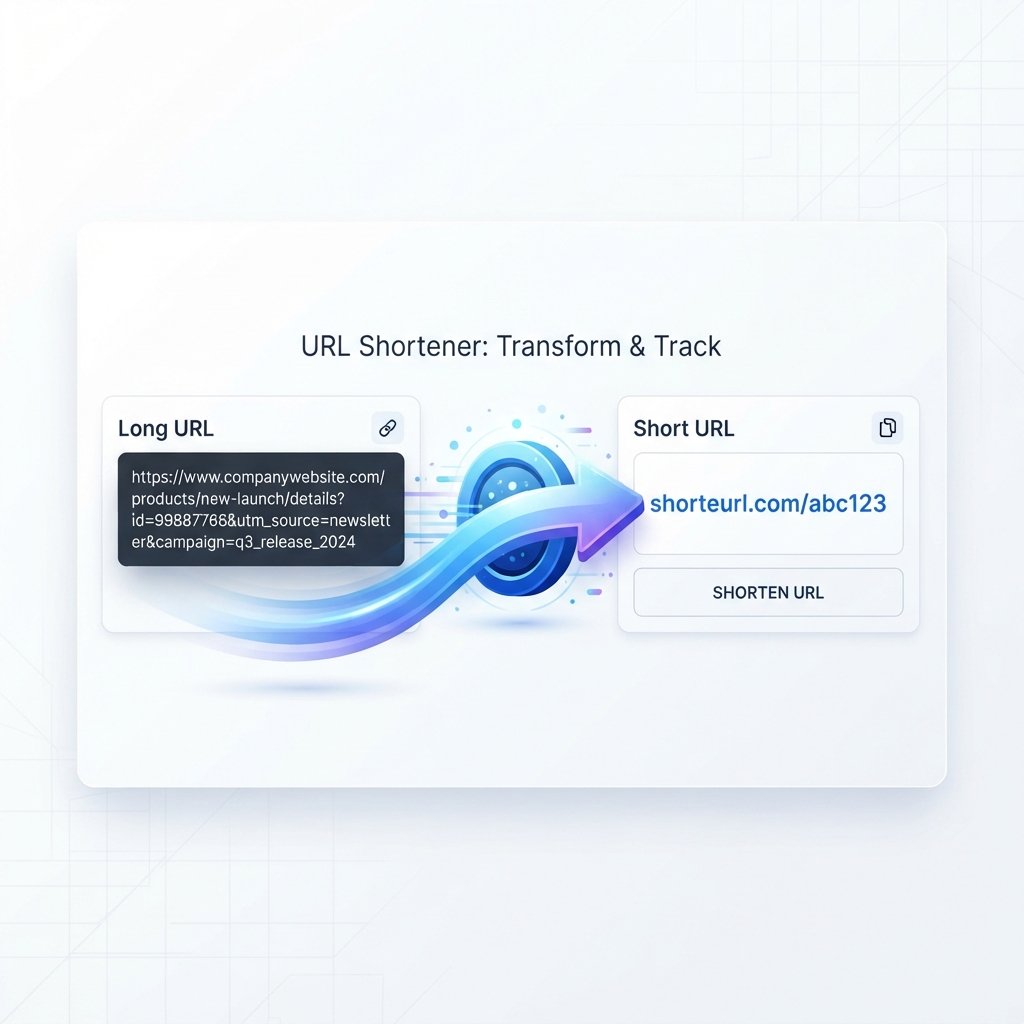
ShortEURL is a free online URL shortener that helps you convert long web addresses into short, clean, and easy-to-share links in seconds. Whether you’re sharing a YouTube video, product page, Google Form, blog article, or PDF, you can generate a short, easy-to-share link instantly—no account required.

Introduction
ShortEURL is a free online URL shortener that turns long web addresses into short, clean, and easy-to-share links. Long URLs can contain complicated paths, tracking parameters, numbers, and other characters that make them difficult to copy, type, or share.
With ShortEURL, you can create a compact link that redirects visitors to the same destination as the original URL. You can shorten links to websites, blog posts, YouTube videos, Google Forms, public documents, PDFs, product pages, social media profiles, and other publicly accessible web pages.
No registration is required for basic URL shortening. Simply paste your link, generate a short URL, and share it wherever you need.

How It Works
1. Paste your URL Copy the web address you want to shorten and paste it into the URL field.
2. Generate your short link Select Generate. ShortEURL processes the URL and generates a shortened version.
3. Copy your short URL Once the short link is created, copy it to your clipboard.
4. Share your link Copy your short URL and share it in messages, emails, social media posts, documents, presentations, or anywhere else you need.
No account is required for basic link shortening.

Why Use Short URLs?
- Easier to share — Short links are simpler to copy and paste into messages, emails, documents, and social media posts.
- Cleaner presentation — A compact URL looks less cluttered on business cards, presentations, and printed materials.
- Easier to type — A shorter address is more convenient when someone needs to enter a link manually.
- Useful for QR codes — Shorter URLs can help create less complicated QR codes, depending on the generator used.
- Convenient for social media — A short link takes up less visible space in profiles, posts, captions, or messages.
What Can You Shorten?
ShortEURL works with most publicly accessible web addresses, including:
- Websites and blog articles
- YouTube links
- Google Forms, Docs, and Sheets
- Public Google Drive files
- PDF documents
- Online stores and product pages
- Portfolio websites
- Public social media pages
The destination should be publicly accessible. If a page or file requires a login, password, or specific permission, shortening the URL does not bypass those access restrictions.

Who Is ShortEURL For?
- Individuals — Share links with friends and family through messaging apps and email.
- Creators — Use compact links for videos, profiles, and other online content.
- Businesses — Use short URLs in presentations, printed materials, and campaigns.
- Students and educators — Share public documents, forms, and resources more conveniently.

Safety & Privacy
Shortened URLs make links easier to share, but they can also hide the full destination address. Only open shortened links from sources you trust.
ShortEURL is intended for legitimate link sharing. Users must not use the service to distribute malware, phishing pages, scams, deceptive content, spam, illegal material, or other content that violates our Terms and Conditions. Links reported for abuse or found to violate our policies may be reviewed and disabled or removed where appropriate.
Basic URL shortening does not require you to create an account or provide a name, email address, or password. For information about data that may be processed when you use the website, please see our Privacy Policy.

Frequently Asked Questions
Is ShortEURL free?
Yes. ShortEURL provides basic URL shortening free of charge.
Do I need to create an account?
No. An account is not required to create a basic shortened URL.
Can I shorten a YouTube URL or Google Form?
Yes, as long as the link is publicly accessible.
Can I shorten a PDF or Google Drive link?
Yes, as long as it has a publicly accessible web address. ShortEURL shortens the URL; it does not host the file, and the original file’s permissions still apply.
Can I use a ShortEURL link in a QR code?
Yes. You can use your generated short URL as the destination when creating a QR code.
What should I do if my short link doesn’t work?
First check that the original destination is still accessible. If the problem continues, contact us through the Contact Us page.
Want more detail? Read our complete guide to URL shortening for an in-depth look at how URL shorteners work, security considerations, and more.