
Managing money in today’s fast-paced world is not easy. Every month, expenses like rent, groceries, insurance, and streaming subscriptions seem to rise. If you do not track where your money goes, it is easy to wonder why your bank account looks empty by the end of the month.
For a long time, people used complicated paper ledgers or Excel spreadsheets to track their cash. Today, technology makes this process much easier. Budgeting apps have become extremely popular in the USA because they take the hard work out of personal finance. These apps securely connect to your accounts, categorize your spending automatically, and show you exactly how to save more money.
However, the world of budgeting apps has changed completely over the last few years. The famous app Mint—which millions of Americans used for over fifteen years—was officially shut down by its parent company, Intuit. Users were told to move to Credit Karma, but many discovered that Credit Karma is mostly a credit score monitor, not a true budgeting tracker. This major shift left millions of people looking for a new digital home for their money.
Whether you are trying to pay off debt, save for your first home, invest for retirement, or just stop overspending, there is an app designed for you. In this comprehensive guide, we will break down the very best budgeting apps available in the USA today, look closely at their features, compare their costs, and help you pick the perfect tool for your financial goals.
Quick Summary: The Best Budgeting Apps at a Glance
If you want a fast answer, here is a quick breakdown of the top options available right now. This summary highlights which app works best depending on your specific financial style.
- Best All-Around Paid App: Quicken Simplifi – Extremely easy to use, excellent at tracking bills, and offers a beautiful layout for a low monthly fee.
- Best Premium Mint Alternative: Monarch Money – Built by a creator of the original Mint app. It is highly customizable, perfect for families, and offers deep tracking tools.
- Best for Direct Control: YNAB (You Need A Budget) – Uses a strict plan where every single dollar gets a specific job. Excellent for breaking the paycheck-to-paycheck cycle.
- Best Free Tracker for Wealth: Empower – Outstanding for tracking your total net worth, looking at investments, and planning for retirement completely for free.
- Best for Dave Ramsey Fans: EveryDollar – Built directly on the famous “Baby Steps” model to help users pay down debt using a simple layout.
- Best for Cutting Bills: Rocket Money – Excellent at finding hidden subscriptions, reminding you of upcoming bills, and tracking daily spending.
- Best for Simple Envelope Saving: Goodbudget – Digitalizes the old-school cash envelope system. Great for couples who want to log transactions manually.
READ MORE
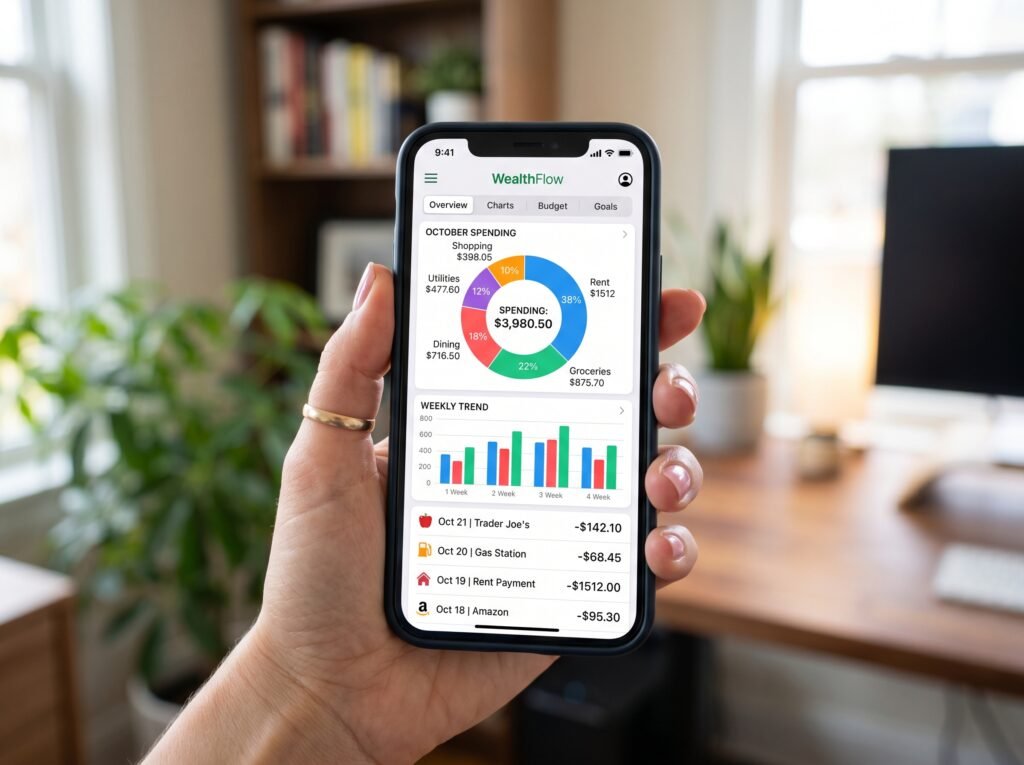
Why You Need a Budgeting App Today
A good budgeting app is much more than just a digital notebook. It acts like a financial assistant that lives right inside your pocket. Many people avoid budgeting because they think it takes too much time or feels like a punishment. Modern apps change this by making money management fast, clear, and even rewarding.
Here are the main reasons why adults in the USA use these financial tools every day:
- Automatic Expense Tracking: Instead of saving paper receipts and typing numbers into a computer every night, the app connects directly to your credit cards and bank accounts. Every time you buy a coffee or pay for gas, the app logs it and puts it into the right category.
- Real-Time Bank Monitoring: You can see all your checking accounts, savings accounts, credit cards, and loans in one single dashboard. You do not need to log into five different bank websites just to see your financial status.
- Stopping Overspending Before It Happens: Many apps send alerts to your phone when you are getting close to your monthly limit for dining out, shopping, or entertainment. This gives you a chance to pause before making a bad purchase.
- Smart Savings Goals: Whether you want to build an emergency fund of three thousand dollars, save for a vacation, or pay for holiday gifts, these apps let you create visual goals and track your progress week by week.
- Hidden Cost Alerts: Apps frequently scan your accounts to find recurring subscriptions you might have forgotten about. They also warn you about upcoming bills so you never get hit with late fees.
Using an app changes your relationship with money. Instead of feeling stressed when looking at your bank account, you gain total clarity and peace of mind.
The Big Shift: What Happened to Mint and Credit Karma?
For over a decade, if someone asked for a free budgeting app recommendation, the answer was almost always Mint. It was the largest money-tracking platform in the country. However, its closure left a massive gap in the market.
Intuit shifted the Mint user base over to Credit Karma. Unfortunately, Credit Karma does not have the core budgeting features that people loved. It does not allow you to set up customizable monthly spending categories, it does not track your monthly grocery budget vs actual spending, and it focuses heavily on selling you credit cards and loans.
Because of this, the budgeting market has split into two areas: high-quality paid apps that protect your data and offer advanced features, and free tracking tools that make money through product recommendations or financial services. Understanding this difference will help you choose an option that fits your expectations.

Detailed Review of the 7 Best Budgeting Apps in the USA
1. Quicken Simplifi – Best All-Around Budgeting App
Quicken Simplifi has established itself as the top all-around choice for the average user. It balances a gentle learning curve with a deep set of features. It does not force you into a strict or difficult budgeting philosophy. Instead, it looks at your regular income, subtracts your fixed bills, and tells you exactly how much spendable cash you have left over.
Key Features of Quicken Simplifi
- Smart Spending Plan: The app creates a personalized plan that automatically updates as you spend money throughout the month.
- Excellent Bill Tracking: It senses your regular bills and lists them on a calendar so you can see exactly when cash will leave your account.
- Custom Insights and Reports: Colorful, clean charts show you exactly what percentage of your income goes to housing, food, or fun.
- Shared Access: You can share your account view with a spouse, partner, or financial advisor without paying an extra fee.
Why Quicken Simplifi Wins
It provides a premium experience for a very low price compared to its main competitors. It is perfect for people who want an app that works automatically in the background but still gives them clean data to make smart choices.
- The Cost: Around $2.99 to $5.99 per month (billed as an annual subscription).
- Best For: Regular users who want automated tracking without a confusing system.
2. Monarch Money – Best Premium Mint Alternative
Monarch Money was created by a developer who helped build the original Mint app. When Mint shut down, Monarch was specifically upgraded to be the ultimate modern replacement. It is a premium, beautiful platform designed for users who want deep control over their finances, investments, and long-term goals.
Key Features of Monarch Money
- Multi-User Collaboration: You can invite your partner or spouse to join your account for free. Both people get their own login but share the exact same financial dashboard.
- Custom Transaction Rules: You can create advanced rules to categorize your purchases exactly how you want.
- Investment and Asset Syncing: It tracks your bank accounts alongside investments, crypto portfolios, and even your home value via Zillow.
- Clean Dashboard with No Ads: Because it is a paid product, you never have to look at annoying ads or credit card offers.
Why Monarch Money Wins
Monarch feels like a luxury version of Mint. It fixes all the annoying connection bugs that older apps had by using multiple secure data pipelines (like Plaid and Finicity). If one connection acts up, the app seamlessly switches to another to keep your data accurate.
- The Cost: Around $14.99 per month or $99.99 per year.
- Best For: Couples, families, and former Mint users who want a high-end personal finance tracker.

3. YNAB (You Need A Budget) – Best for Strict Money Control
YNAB is completely different from passive tracking apps. It uses a method called zero-based budgeting. This means that every single dollar you earn must be given a specific job before you spend it. If you earn three thousand dollars this month, you must distribute all three thousand dollars into categories like rent, food, electric bills, and savings until you have zero dollars left unassigned.
Key Features of YNAB
- Four Core Financial Rules: YNAB teaches you to give every dollar a job, plan for large infrequent expenses, change your plan when life happens, and age your money so you spend cash earned last month.
- Bank Syncing and Manual Tracking: You can import transactions automatically or type them in live at the cash register to stay deeply aware of your spending.
- Extensive Live Workshops: The company offers free, live classes with real human instructors to teach you how to manage debt and save cash.
- Loan Payoff Calculators: It features built-in tools that show you exactly how fast you can clear your credit cards or student loans by adding extra payments.
Why YNAB Wins
YNAB does not just show you charts of your past spending; it changes your future behavior. It forces you to deal with the reality of your cash. Users often report saving hundreds of dollars in their very first month because it completely stops accidental overspending.
- The Cost: Around $14.99 per month or $109 per year (Free for college students for 12 months).
- Best For: Anyone struggling with debt or living paycheck to paycheck who needs to change their money habits.
4. Empower Personal Dashboard – Best Free Tool for Net Worth
Empower (which used to be called Personal Capital) is a favorite in the financial community. It approaches your money from a wealth-building perspective. While it can track your daily spending, its real strength is showing you your entire financial life in one place, focusing heavily on your net worth and investment growth.
Key Features of Empower
- Total Net Worth Tracker: It displays a live number of your total assets (cash, homes, investments) minus your total liabilities (credit cards, mortgages, car loans).
- Investment Portfolio Analyzer: The app checks your retirement accounts and reveals hidden fees that might be costing you money.
- Retirement Planning Simulator: You can run models to see if you have enough money saved to retire by age sixty or sixty-five.
- Completely Free Core Tools: The financial dashboard and tracking software cost zero dollars to use forever.
Why Empower Wins
It is completely free and highly professional. Empower makes money by offering human wealth management services to people with large investment accounts. If you use the app and have over one hundred thousand dollars in investments, they will call you to offer paid financial advisory services. You can simply say “no thank you” and continue using the excellent software for free.
- The Cost: $0 (Completely Free).
- Best For: Investors and anyone whose primary goal is tracking long-term wealth rather than daily grocery budgets.
5. EveryDollar – Best for Debt Paydown
EveryDollar is the official budgeting software created by Ramsey Solutions, the company founded by personal finance author Dave Ramsey. This app is built to match the famous “Baby Steps” strategy. It is designed to be simple, clear, and focused on helping you dump your debt as fast as possible.
Key Features of EveryDollar
- Dave Ramsey Method Integration: It tracks your progress through specific financial steps, like saving a one thousand dollar emergency fund and paying off debt using the debt snowball method.
- Clean, Simple Rows: The visual layout is clean and structured. It lists your planned money, your spent money, and what is remaining.
- Custom Budget Categories: You can create an unlimited number of custom rows for specific expenses like pet care, hobbies, or kids’ school activities.
Why EveryDollar Wins
The free version of EveryDollar is fantastic for people who want total privacy and do not want to connect their bank accounts. You manually type in your income and expenses yourself. If you want the app to connect to your bank and download your transactions automatically, you must upgrade to the premium version.
- The Cost: Free for manual entry; around $79.99 per year for automatic bank syncing.
- Best For: Followers of Dave Ramsey’s financial plans and fans of manual money tracking.

6. Rocket Money – Best for Bill and Subscription Management
Rocket Money (formerly known as TrueBill) focuses on finding leakages in your cash flow. It is famous for its clean mobile design and its ability to help you find and cancel subscriptions you completely forgot you were paying for.
Key Features of Rocket Money
- Subscription Cancellation Assistant: The app displays a clear list of all your recurring monthly payments. If you want to cancel one, Rocket Money can manage the cancellation process for you.
- Bill Negotiation Services: They have a team that will call your internet, cable, or phone company to negotiate a lower monthly bill on your behalf.
- “In My Pocket” Gauge: It calculates your upcoming bills against your current balance to show exactly how much spending cash you safely have left.
Why Rocket Money Wins
It has a beautiful user interface that feels modern and fast. While the basic budgeting features are free, their specialized services cost money. If they successfully negotiate your cable bill down and save you one hundred dollars a year, they take a percentage cut of those savings as their fee.
- The Cost: Free basic tier; premium features work on a sliding scale from $6 to $12 per month.
- Best For: People with lots of monthly subscriptions who want an automated way to clean up their spending.
7. Goodbudget – Best Digital Cash Envelope App
Goodbudget brings the traditional physical cash envelope system into the digital age. In the real world, envelope budgeting means putting cash into paper envelopes labeled “Groceries,” “Rent,” or “Gas.” When the envelope is empty, you stop spending. Goodbudget creates virtual envelopes on your phone so you can use this proven strategy while still paying with debit cards.
Key Features of Goodbudget
- Envelope Allocation System: You set aside specific amounts of your monthly income into virtual pockets.
- Device Syncing for Couples: You and your partner can sync the same budget across separate smartphones. When your partner buys groceries, the grocery envelope updates on your phone instantly.
- No Bank Information Needed: Goodbudget does not connect to your bank. You log your income and expenses by typing them in yourself, ensuring your personal banking passwords stay completely private.
Why Goodbudget Wins
It prevents you from being passive. Because you have to type in your purchases yourself, it forces you to look at your financial choices instantly. It is an amazing educational tool for young couples learning to communicate about money.
- The Cost: Free basic version (limits you to 20 envelopes); premium version is around $80 per year for unlimited envelopes.
- Best For: Privacy-focused individuals and couples who want a hands-on, traditional budgeting method.
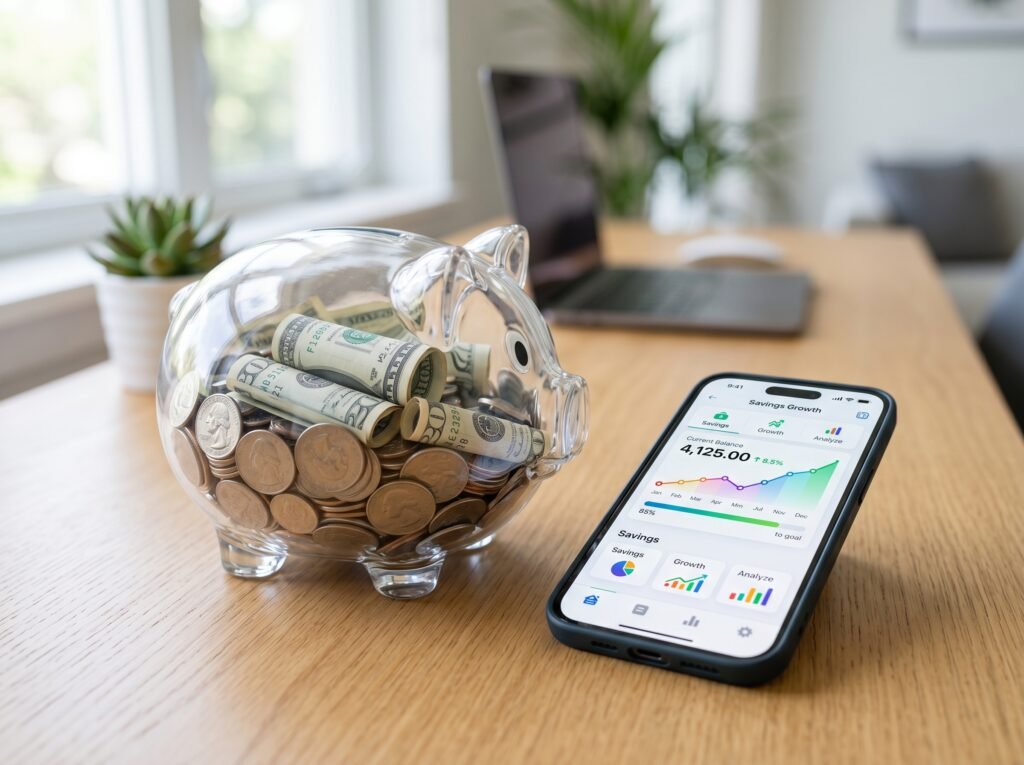
Direct Comparison of the Best Budgeting Apps
To help you compare these tools clearly, look at this structured breakdown of their price points, budgeting methods, and best use cases.
| Budgeting App | Monthly Cost Range | Automated or Manual? | Core Financial System | Who It Is Built For |
| Quicken Simplifi | $2.99 – $5.99 / month | Fully Automated | Available Spending Plan | Everyday users who want easy tracking |
| Monarch Money | $14.99 / month | Fully Automated | Flexible Category Budgets | Couples and former Mint users |
| YNAB | $14.99 / month | Mixed (Auto + Manual) | Zero-Based (Every dollar gets a job) | People wanting to break the debt cycle |
| Empower | $0 (Completely Free) | Fully Automated | Investment & Net Worth View | Wealth builders and long-term savers |
| EveryDollar | Free or $79.99 / year | Manual (Free) or Auto (Paid) | Zero-Based (Ramsey Baby Steps) | Followers of Dave Ramsey’s advice |
| Rocket Money | Free or $6 – $12 / month | Fully Automated | Subscription & Bill Tracking | People wanting to cut recurring costs |
| Goodbudget | Free or $80 / year | Completely Manual | Traditional Digital Envelopes | Privacy lovers and young couples |
Strategic Takeaways: How to Succeed with Your App
Choosing the software is only the first step. To get real results and change your wealth, keep these core rules in mind:
- Give It at Least One Month: Every app has a short adjustment period. Do not give up if the first week feels confusing. It takes about thirty days for regular bills to land and for the app to learn your habits.
- Check the App Regularly: Set a reminder on your phone to open your budgeting app for five minutes every few days. This prevents a mountain of unassigned transactions from building up.
- Be Honest with Your Categories: Do not try to make your budget look perfect. If you spend one hundred dollars a month on coffee or video games, create an honest category for it. A budget is a tool for clarity, not a tool for guilt.
- Adjust When Life Changes: A budget is a living document. If an emergency happens and you have to spend cash on a car repair, simply move money out of your clothing or dining category to cover it.
How to Choose the Perfect Budgeting Tool For Your Needs
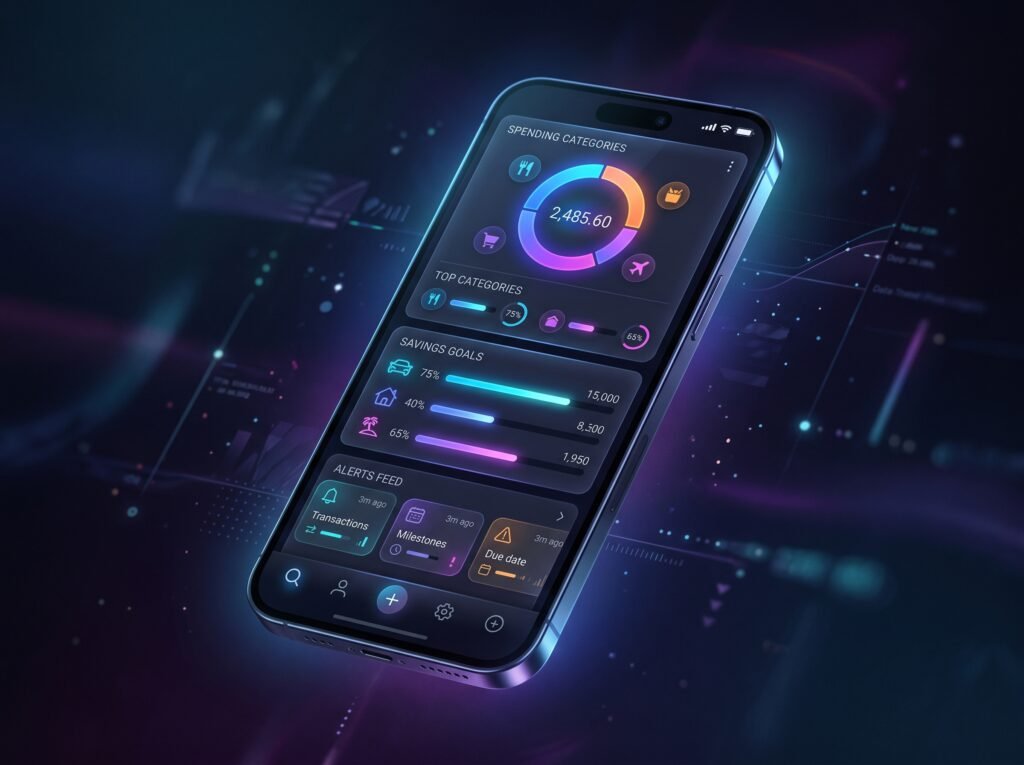
With so many high-quality choices on the market, picking the right option comes down to understanding your personality and your specific goals. Ask yourself these three simple questions to find your match:
Do you want automation or manual entry?
If you are busy and want the software to do ninety percent of the work, choose an automated app like Quicken Simplifi or Monarch Money. If you are worried about data privacy or want to feel deeply connected to every dollar, choose a manual tracking option like Goodbudget or the free version of EveryDollar.
What is your main financial goal?
If you are struggling with heavy credit card debt or find yourself running out of money before your next paycheck arrives, you need a strict system like YNAB. If you have your spending under control and want to make sure your retirement investments are growing, you do not need a strict budget app—you need Empower.
Are you managing money alone or together?
Managing money as a couple can be difficult if you do not use the right tools. Apps like Monarch Money and Goodbudget excel here because they are built from the ground up to support shared views and joint accounts across multiple phones.

Frequently Asked Questions (FAQ)
1. Are budgeting apps safe to use in the USA?
Yes. Most reputable personal finance apps use bank-level, 256-bit encryption to secure your information. They do not store your actual bank passwords. Instead, they use read-only data networks like Plaid. This means the app can only see and sort your transaction history; it can never move money, change your accounts, or withdraw cash.
2. Why did Mint close down, and can I still use it?
Mint was closed permanently by its parent company, Intuit, in early 2024. It is no longer operational or available in any app store. Intuit moved its focus to Credit Karma, which monitors credit scores but lacks full budgeting and spending tools.
3. Which budgeting apps are completely free without hidden catches?
Empower is the best completely free option for automated tracking and net worth management. The basic versions of EveryDollar and Goodbudget are also free, but they require you to input all your purchases manually by hand.
4. What is zero-based budgeting, and which apps use it?
Zero-based budgeting is a method where your total income minus your budgeted expenses equals zero. Every dollar is assigned to a category (like savings, bills, or food) before the month starts. YNAB and EveryDollar are the two best options that use this strategy.
5. Can I use these apps if I have an irregular income, like freelance or contract work?
Yes. Apps like YNAB are actually fantastic for irregular incomes because they focus entirely on managing the cash you currently have in your bank account today, rather than guessing what you will earn next month.
6. Will connecting my accounts to a budget app affect my credit score?
No. Budgeting apps simply read your account balances and transaction histories. They have no impact on your credit utilization or payment history, so your credit score will not change.

Conclusion
Taking control of your finances does not have to be stressful or confusing. The hardest part of budgeting is simply getting started. By choosing a tool that matches your lifestyle—whether that is a fully automated tracker like Quicken Simplifi, a strict money trainer like YNAB, or a free wealth organizer like Empower—you are taking a massive step toward long-term peace of mind.
Download one of these top US apps today, give yourself a few weeks to learn the layout, and watch how quickly your savings grow.
Internal Linking Suggestions for Your Website
- Link placeholder: If you want to pair your new budgeting app with a high-interest savings account, check out our guide on The Best High-Yield Savings Accounts in the USA.
- Link placeholder: Trying to clear your credit card balances fast? Read our complete breakdown on How to Use the Debt Snowball Method to Wipe Out Debt.